What changes the decision
Record settings and conditions before testing. This makes an unexpected result traceable to a changed setup, instead of immediately assuming the battery has deteriorated.
Separate the questions
| Before accepting the report | Record or verify | Why it matters |
|---|---|---|
| Supported battery | Voltage and chemistry in the manual | A clamp connection is not compatibility evidence |
| Rating input | Standard plus label or official rated value | Wrong reference settings change interpretation |
| Conditions | In/out of vehicle; recent charging or driving | Different conditions weaken repeat comparisons |
| Safety | Battery condition and manufacturer precautions | Abnormal heat, leakage or damage takes priority |
Setup comes before the battery decision
The MDX-655P manual distinguishes in-vehicle and out-of-vehicle testing and asks for battery type and rating. These are model-specific prompts, not instructions to disconnect every vehicle battery. Consult the vehicle and device manuals for permitted work.
Primary source: Midtronics MDX-655P official manual
Do not copy a surface-charge procedure across models
Midtronics notes that recent charging, vehicle location and changed input settings can affect repeat results. A model may provide its own rest or surface-charge instructions. Use those instructions rather than borrowing a fixed wait time from another tool.
Primary source: Midtronics: Why did every battery test result change?
Keep a useful record without creating a diagnosis
Write down the tester model, full verdict, rating source, settings and symptoms. If supported chemistry or voltage is not documented, stop and resolve compatibility first. Battery Tester Match can help choose a documented tool but does not replace a technician’s inspection or certify a safe working procedure.
Battery Tester Match editorial interpretation, not a manufacturer verdict or remote fault diagnosis.
Choose the next step
Match a tester to the battery and job →Start with verified candidates, then refine voltage, chemistry and the tests your manual or workflow requires.
Check chemistry and diagnostic coverage before buying →A practical check sequence
- Before attaching equipment, identify the battery’s nominal voltage, chemistry and designated test points in the vehicle manual. Stop when the layout or voltage is unfamiliar.
- Inspect the battery for leakage, swelling, unusual heat or damage. Keep metal tools from bridging terminals and keep cables away from moving fans or belts. A battery-health article is not permission to work on an EV traction pack.
- After following the model’s connection procedure, enter the documented rating standard and value. Record recent driving or charging; use the instrument’s own rest/retest instruction instead of a universal waiting time.
If you choose to check it yourself
Buying a tester is optional. First identify the unanswered check and follow the battery, vehicle and instrument manuals. These are capability examples, not a performance ranking or a substitute for inspection.
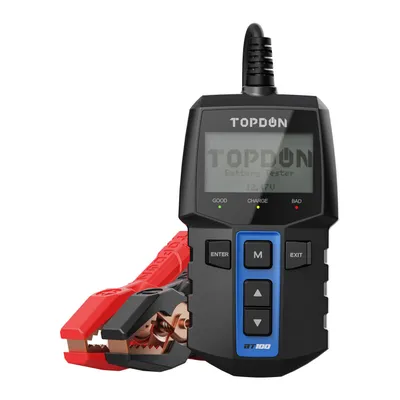
TOPDON BT100
12V batteries; 12V systems. Conductance.
Core DIY 12V battery + cranking + charging. Skip this model if your required voltage, chemistry, test method or reporting output is absent from its specification.
View capabilities and limitations →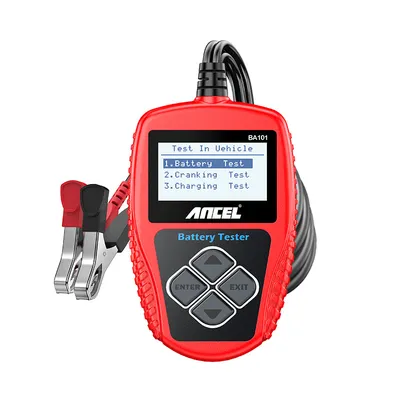
ANCEL BA101
12V batteries; 12V systems. Electronic analyzer.
12V DIY diagnostics + PC print/export. Skip this model if your required voltage, chemistry, test method or reporting output is absent from its specification.
View capabilities and limitations →Related questions
Sources and checked date
Sources checked:
- Midtronics MDX-655P official manual
Battery-test setup and model-specific decision messages, pp. 11–12; system tests, pp. 13–14
- Midtronics: Why did every battery test result change?
Recent charging, vehicle location and input settings affect repeatability
This is a source-based explanation, not our hands-on testing. Capabilities do not establish merchant availability, price or vehicle compatibility. Stop work and seek qualified help if leakage, swelling, unusual heat, odor or smoke is present.
The settings are part of the result
Use the exact instrument manual and the battery label. Select the actual chemistry and rating standard; never manufacture Rated CCA from a case code. Keep the measurement conditions with the report instead of comparing unmatched readings.
Figure out what you need to test
Start with what happened and what you need to check. You may already have a suitable tool, or prefer to have a shop inspect the car.
See what to check →If you need equipment
Battery health — Choose the link to see matching testers. You can change or clear these filters at any time.
Show matching testers →